How to Redesign a Room with AI: 20 Stunning Before and After Examples
Quick Summary
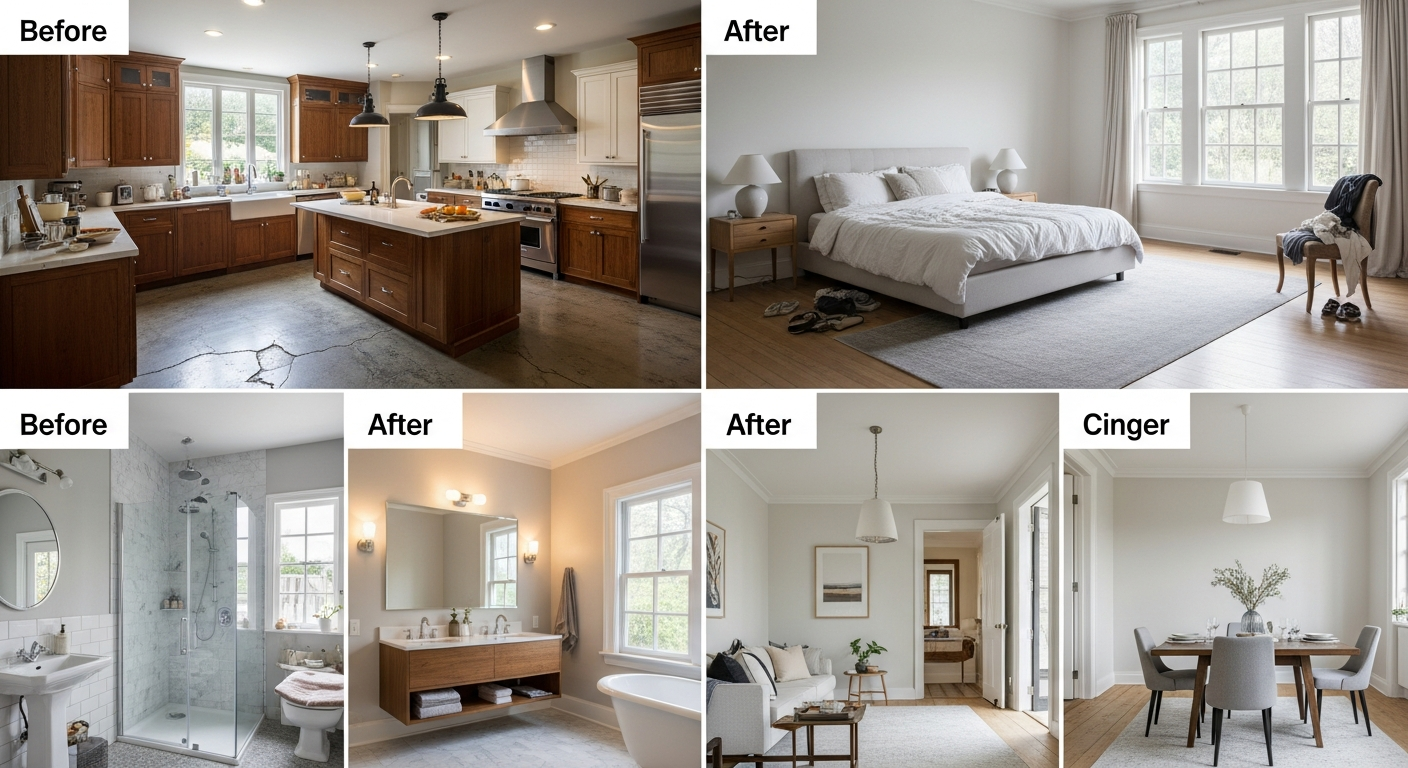
This visual guide showcases 20 real before-and-after room transformations created with AI design tools. Each example includes the original room, the AI-generated redesign, the style used, and practical takeaways you can apply to your own home.
How to Redesign a Room with AI: 20 Stunning Before and After Examples
Seeing is believing — and nothing demonstrates the power of AI interior design better than real before-and-after examples of rooms redesigned with AI. Whether you're skeptical about what AI can actually produce or you're looking for inspiration before starting your own project, these 20 transformations across kitchens, living rooms, bedrooms, and bathrooms showcase exactly what's possible when you combine a room photo with AI visualization technology.
Each example below was created using HanoDecor's AI room design tools — the same tools available to you right now. We'll break down what changed in each transformation, which design style was applied, and the practical lessons you can take away for your own redesign. From dated 1990s kitchens transformed into modern chef's spaces to cramped bedrooms reimagined as serene retreats, these before-and-after comparisons prove that every room has untapped potential.
Ready to create your own before-and-after transformation? Our complete guide on how to use AI to redesign a room walks you through the entire process from photo to finished visualization.
How AI Room Redesign Creates Before-and-After Results
AI room redesign tools work by analyzing a photograph of your existing room — identifying walls, floors, ceilings, furniture, windows, and architectural features — then generating a photorealistic visualization of how that same room could look in a completely different style. The AI preserves the room's structure and dimensions while transforming surfaces, colors, furnishings, and decor.
The process takes seconds, not hours. Upload a photo, select your desired style (modern, farmhouse, minimalist, Scandinavian, industrial, and dozens more), and the AI generates a complete redesign. You can run multiple iterations with different styles, compare them side by side, and save your favorites to share with contractors, family members, or interior designers.
What makes AI redesign different from traditional mood boards or sketch-based design is specificity — the result shows YOUR room, not a generic rendering. The proportions, window placement, natural light direction, and architectural details are all your own. This level of personalization was previously available only through expensive custom renderings from professional designers.
Living Room Transformations (Examples 1-5)
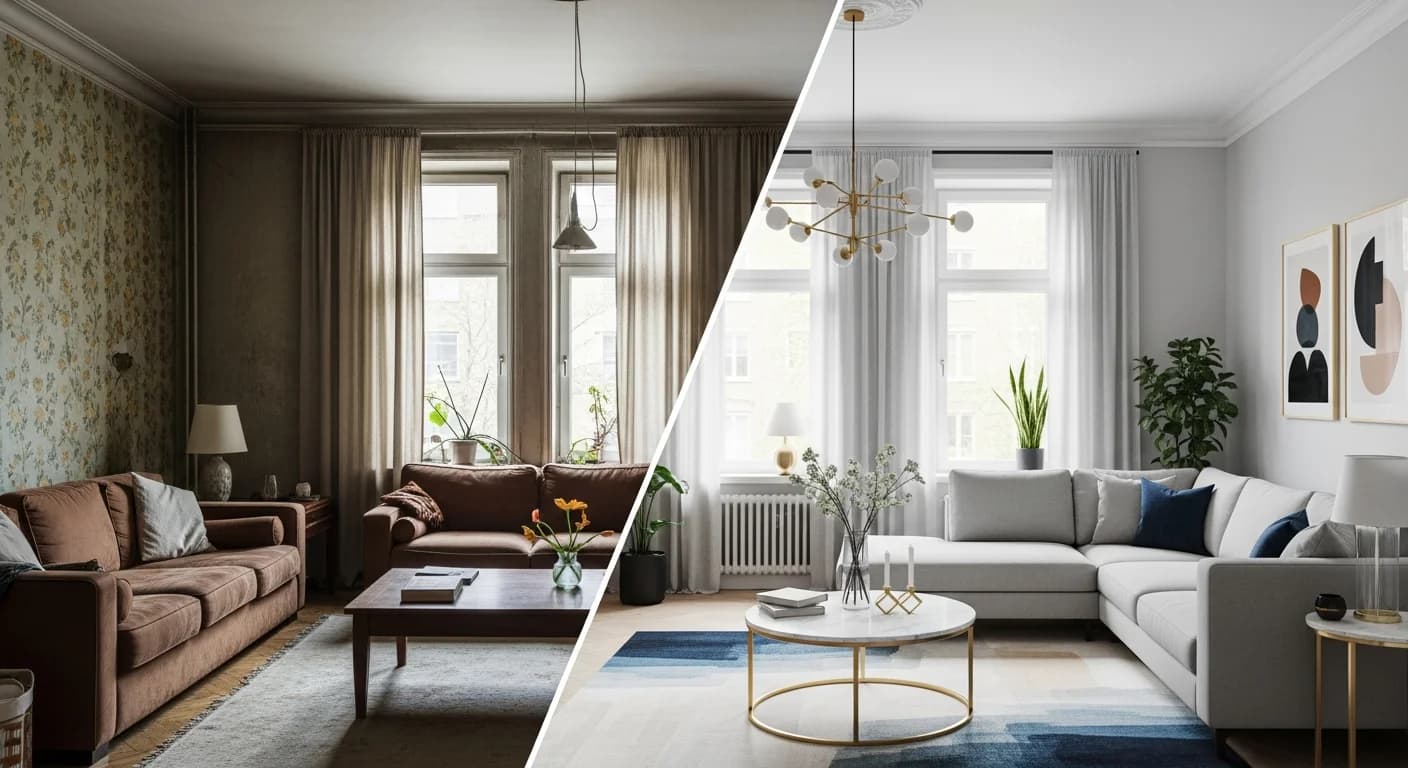
Example 1: Dated Traditional to Modern Minimalist. This 1990s living room featured heavy floral upholstery, dark wood entertainment center, and beige walls. The AI redesign stripped away the visual clutter, replacing it with a clean-lined sectional in warm gray, a floating media console, and walls painted in a soft warm white. The existing hardwood floors were preserved, and the large window remained the focal point. The transformation demonstrates how removing visual weight — bulky furniture, busy patterns, dark wood — instantly modernizes a space.
Example 2: Dark and Cramped to Bright Scandinavian. A small apartment living room with dark walls, mismatched furniture, and poor lighting was reimagined in Scandinavian style. The AI selected light oak furniture, a compact sofa in cream linen, minimal accessories, and bright white walls. Strategic placement of a round mirror opposite the window doubled the perceived natural light. The key takeaway: light colors and simplified furniture make small rooms feel 30 to 40 percent larger.
Example 3: Builder-Grade to Warm Contemporary. A generic builder-grade living room with flat white walls and basic carpet was transformed into a warm contemporary space. The AI added warmth through a cognac leather sofa, walnut side tables, and textured throw pillows. The walls shifted to a warm greige, and the carpet was replaced with wide-plank engineered hardwood. This example shows how material quality and warm tones elevate even the most basic starting point.
Example 4: Formal Living Room to Casual Family Space. An overly formal living room with stiff seating, crystal lamps, and silk drapes was redesigned for modern family life. The AI replaced formal furniture with a deep, comfortable sectional in performance fabric, added a large ottoman that doubles as a coffee table, and swapped silk for linen curtains. The formality was replaced with warmth and usability without losing sophistication.
Example 5: Eclectic Mess to Cohesive Bohemian. A room filled with mismatched furniture, random art, and competing patterns was unified into a cohesive bohemian design. The AI retained the colorful, collected spirit but organized it with an intentional color palette (terracotta, sage, cream, and gold), layered textiles in coordinating patterns, and grouped accessories in curated vignettes. The lesson: bohemian doesn't mean chaotic — it means curated eclecticism.
Kitchen Transformations (Examples 6-10)
Example 6: Dark Cabinets to Bright Two-Tone. A kitchen with dark cherry cabinets and black granite was transformed with a two-tone approach: white upper cabinets, sage green lower cabinets, and quartz countertops with subtle veining. The AI preserved the cabinet boxes but changed the door fronts, hardware (brushed brass), and countertop color. This demonstrates one of the most cost-effective kitchen redesigns — same layout, completely different mood.
Example 7: Closed Galley to Visual Open Concept. A narrow galley kitchen with upper cabinets on both sides felt claustrophobic and dark. The AI redesign removed upper cabinets on one side, replacing them with floating shelves, and lightened the remaining cabinets to a natural wood tone. The countertops changed to white quartz, and under-cabinet lighting was added. Without removing a single wall, the kitchen felt twice as open.
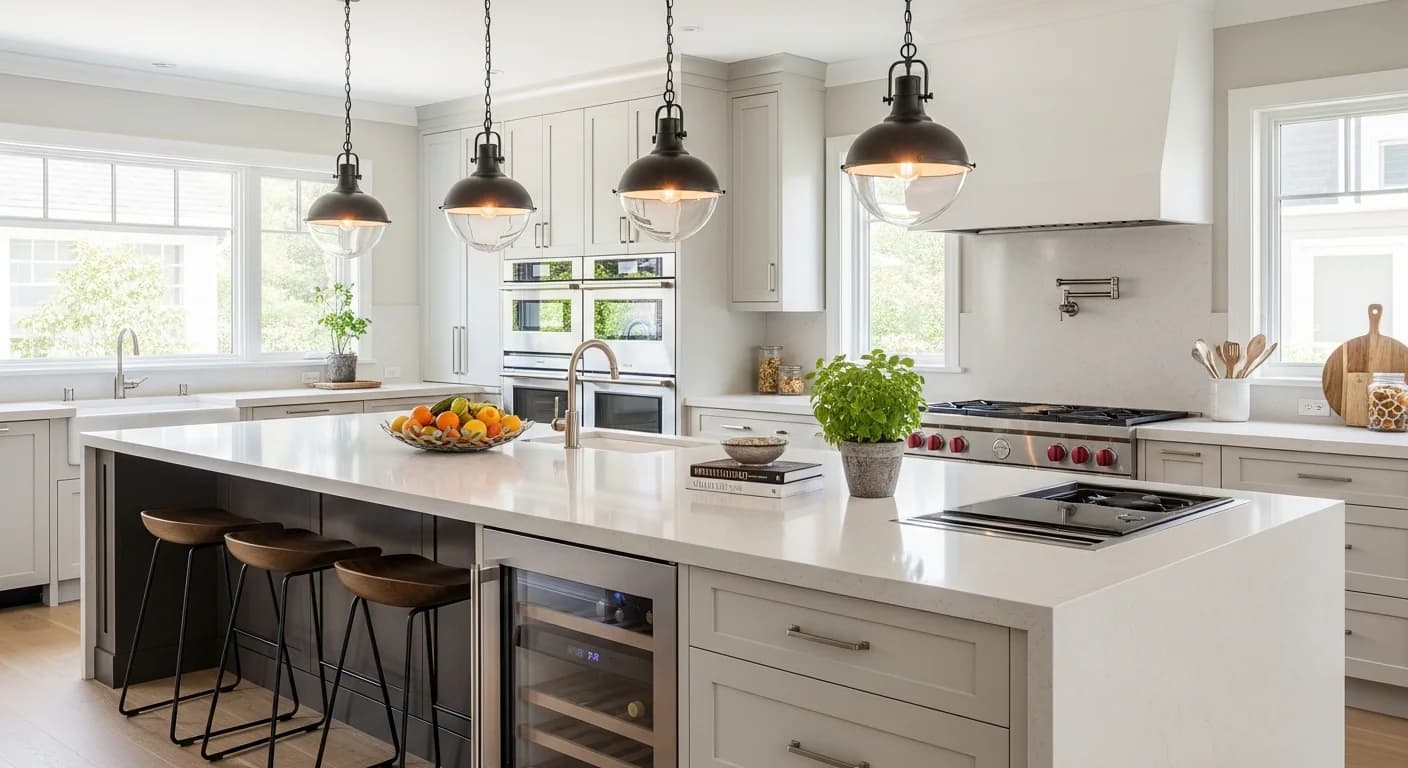
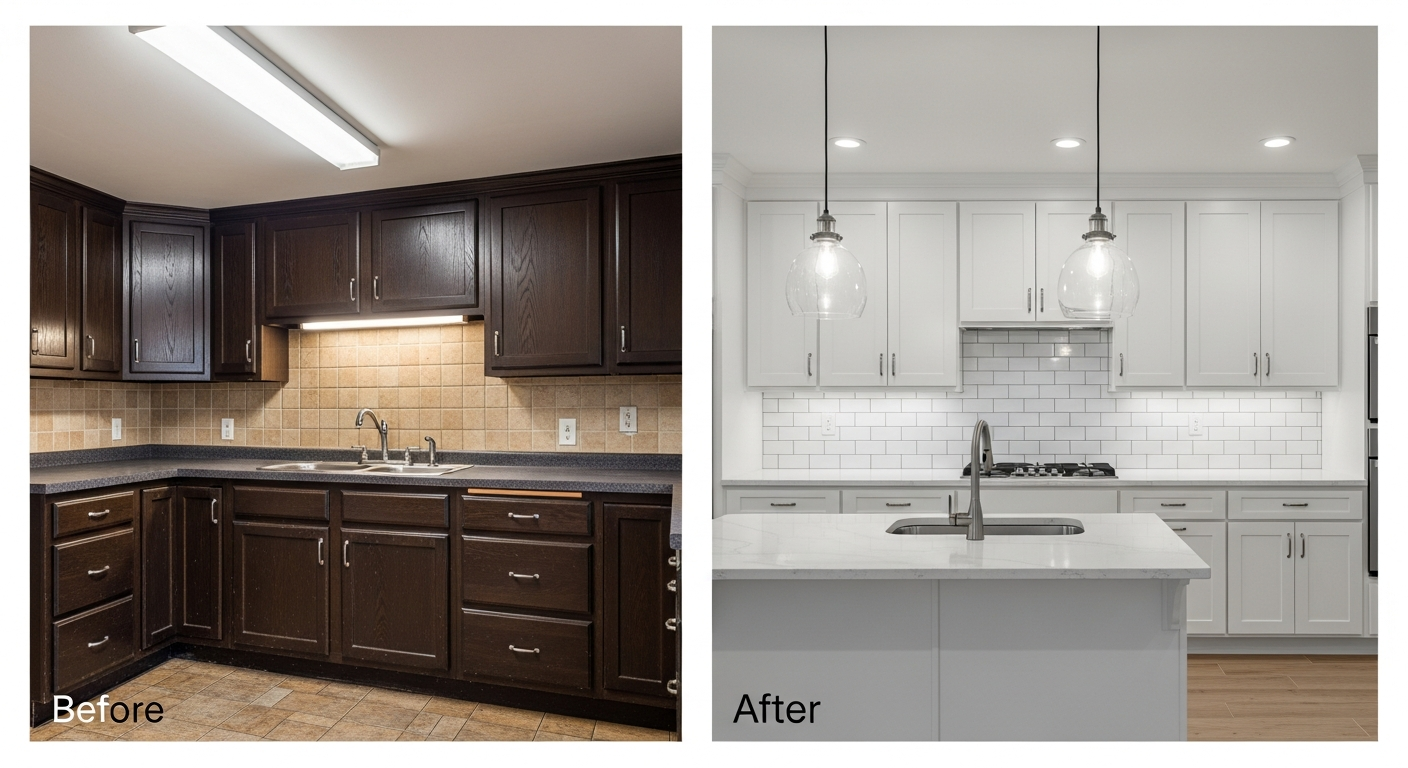
Example 8: Outdated 1980s to Modern Farmhouse. A kitchen with oak cabinets, laminate countertops, and a dated tile backsplash was reimagined in modern farmhouse style. The AI selected white shaker cabinets, butcher block countertops on the island with quartz on the perimeters, subway tile backsplash, and matte black hardware. The existing footprint was unchanged — only surfaces were transformed.
Example 9: All-White to Warm Natural. An all-white kitchen that felt cold and sterile was warmed up with natural materials. The AI introduced warm wood floating shelves, a stone-look quartz countertop, woven pendant lights, and a terracotta tile backsplash. The white cabinets were retained but the hardware shifted from chrome to brushed brass. This shows how accessories and accent materials can completely change a kitchen's personality without major construction.
Example 10: Small and Disorganized to Efficiently Modern. A compact kitchen overflowing with items on every surface was redesigned with smart organization. The AI decluttered visually, added a wall-mounted magnetic knife strip, open upper shelving for daily dishes, under-cabinet hooks for mugs, and a slim rolling cart beside the refrigerator. The counter-to-wall backsplash was maximized with floating spice shelves. This transformation proves that organization is a design strategy, not just a habit.
Bedroom Transformations (Examples 11-15)
Example 11: Cluttered Bedroom to Serene Retreat. A bedroom overwhelmed with furniture — dresser, chest of drawers, two nightstands, desk, and bookshelf — was pared down to essentials. The AI removed the desk and bookshelf, replaced the heavy dresser with a low-profile media console, and introduced an upholstered platform bed with built-in storage drawers. The color palette shifted from competing tones to a harmonious warm neutral scheme. Less furniture, more calm.
Example 12: Teen Room to Adult Sanctuary. A former teenager's bedroom with bold paint, poster-covered walls, and mismatched furniture was transformed into a sophisticated adult bedroom. The AI chose a moody deep green accent wall behind the headboard, crisp white bedding with textured layers, matching walnut nightstands with brass accents, and soft ambient lighting. The transformation shows how a single accent wall can create dramatic impact without overwhelming a room.
Example 13: Guest Room to Multi-Use Space. A spare bedroom used only for occasional guests was reimagined as a work-from-home office that doubles as a guest room. The AI replaced the queen bed with a daybed that serves as a sofa during work hours, added a wall-mounted desk with floating shelves, and created clear visual zones using a rug and lighting. The room now functions daily instead of sitting empty 350 days a year.
Example 14: Dark and Heavy to Light Japandi. A bedroom with dark furniture, heavy drapes, and a busy rug was redesigned in Japandi style (Japanese-Scandinavian fusion). The AI selected a low platform bed frame in natural ash, linen curtains, a simple woven rug in cream, and minimal accessories — just two ceramic vases and a single piece of art. The resulting space feels like a meditation room: calm, grounded, and intentional.
Example 15: Basic Builder Bedroom to Coastal Escape. A standard white-box bedroom was given personality with a coastal theme. The AI added a whitewashed wood headboard, bedding in ocean blues and sandy tans, woven baskets for storage, and a jute rug layered over light hardwood. Sheer white curtains let in maximum light. The transformation demonstrates how textiles and accessories alone — no paint, no renovation — can establish a complete design theme.
Bathroom Transformations (Examples 16-20)
Example 16: Beige Everything to Spa-Inspired Retreat. A 1990s bathroom with beige tile floors, beige walls, and a beige vanity was transformed into a spa-inspired retreat. The AI redesigned the space with large-format white marble-look porcelain tiles, a floating double vanity in warm walnut, a frameless glass shower enclosure, and ambient lighting recessed into a ceiling cove. The before-and-after contrast is one of the most dramatic in our collection.
Example 17: Tiny Powder Room to Bold Statement. A plain white half-bath was reimagined with bold design choices. The AI applied a dramatic dark green to all walls, added a statement vessel sink on a live-edge wood vanity, and introduced a decorative wall-mounted light fixture. The result proves that small spaces are the perfect canvas for bold design moves you might hesitate to try in a larger room.
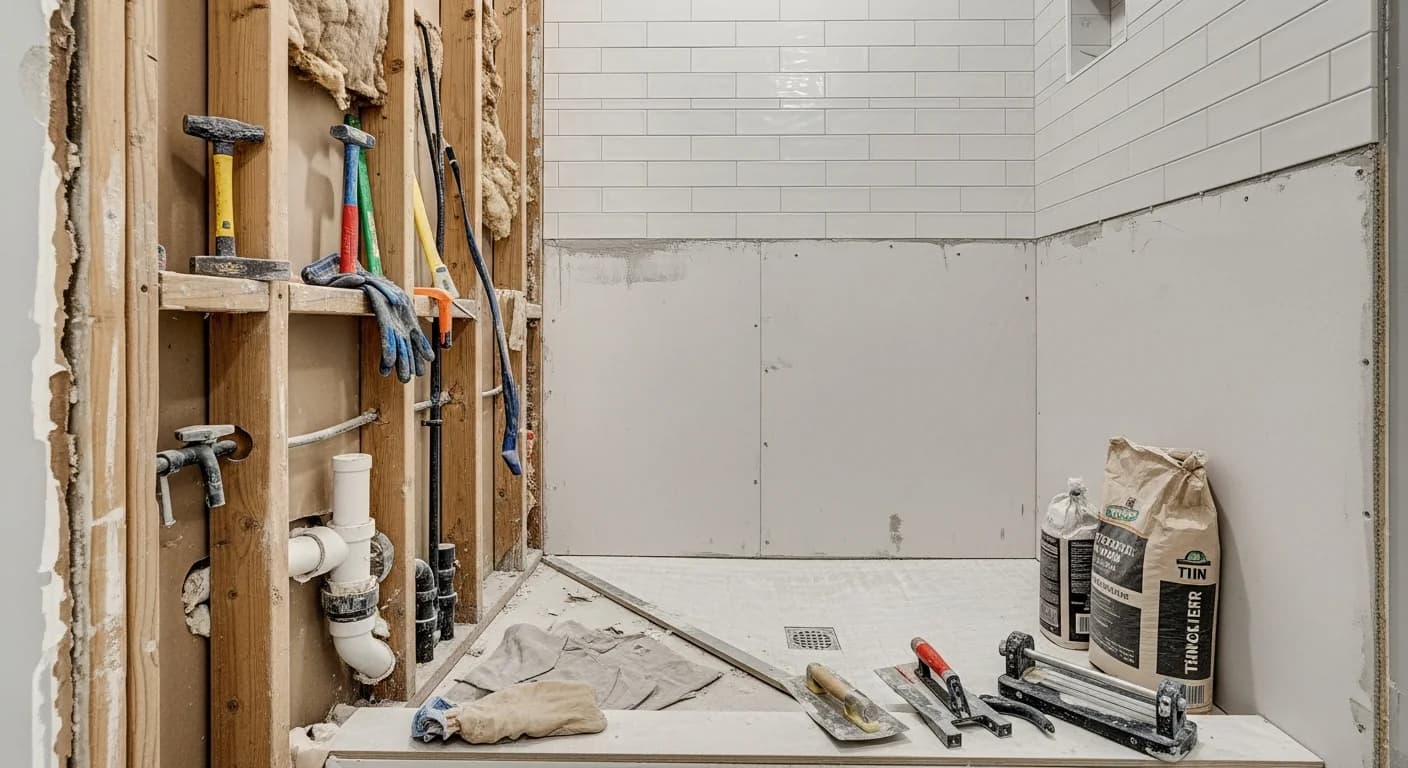
Example 18: Outdated Tub-Shower Combo to Walk-In Shower. A bathroom with a dated tub-shower combination behind a patterned shower curtain was redesigned with a walk-in curbless shower featuring floor-to-ceiling tile, a rain showerhead, and a glass panel. The AI preserved the existing footprint while dramatically improving both the aesthetic and the functionality of the bathing area. This is one of the most requested bathroom transformations we see.
Example 19: Pink 1960s Bathroom to Modern Classic. A vintage pink bathroom — pink tile, pink bathtub, pink toilet — was modernized while preserving a nod to its era. The AI replaced the pink fixtures with white, retiled in classic white subway with dark grout, added a pedestal sink, and installed a vintage-inspired light fixture. The result is timeless black-and-white classic style that acknowledges the home's mid-century character.
Example 20: Jack-and-Jill to Dual-Entry Modern. A shared jack-and-jill bathroom between two bedrooms was redesigned for better privacy and modern function. The AI reconfigured the vanity area into a double-sink layout with a privacy partition, upgraded the single shower to a walk-in with dual showerheads, and added separate mirrors and lighting zones for each side. The shared bathroom now functions more like two individual spaces.
What Makes a Great AI Room Redesign
After analyzing hundreds of AI room redesigns, we've identified the patterns that produce the most compelling and realistic results. The best transformations start with a high-quality photo taken from a corner angle with natural lighting. They use a single, cohesive design style rather than mixing competing aesthetics. And they make changes that are realistically achievable — the AI is most convincing when the transformation stays within the room's existing structure.
The most impressive before-and-after pairs share a few common traits: strong contrast between the before and after states (without being unrealistic), a clear narrative about what changed and why, and a finished result that feels like a real, livable space — not a magazine fantasy. AI works best when it's given clear style direction and a well-photographed starting point.
For homeowners using AI redesigns as planning tools, the most practical approach is generating 3 to 5 different style options for the same room, then sharing all of them with family members or a contractor. Having multiple visualizations to compare makes decision-making faster and more confident. Many homeowners end up combining elements from different AI-generated options into their final design.
Tips for Creating Your Own Before-and-After Transformations
Photograph your room properly. Natural daylight, corner angles, and a clean (but not staged) room produce the best AI results. Avoid harsh overhead lighting, extreme close-ups, or photos taken through doorways. Include the full room from floor to ceiling line.
Try contrasting styles. The most dramatic before-and-after results come from switching between very different aesthetics. If your current room is traditional, try modern minimalist. If it's cold and clinical, try warm Scandinavian or bohemian. Greater contrast between before and after creates more compelling transformations.
Generate multiple versions. Don't stop at one AI result. Run the same photo through 4 to 5 different style options. Some will surprise you — a style you never considered might produce the most appealing result. This is the beauty of AI visualization: it costs nothing to experiment.
Save and share your favorites. Use HanoDecor's comparison feature to save side-by-side before-and-after views. Share them with family, friends, or your contractor to get feedback before committing. If you're working with an interior designer, AI visualizations serve as excellent starting points for professional consultations. For deeper guidance, see our guide to redesigning a living room with AI.
Frequently Asked Questions
Q: Are AI room redesigns realistic enough to use for actual renovations?
A: Yes. AI-generated room visualizations are photorealistic and accurate enough to guide real renovation decisions. They excel at visualizing color schemes, furniture styles, and material choices. However, they should not replace professional architectural drawings for structural work — AI cannot detect load-bearing walls, plumbing locations, or electrical routing.
Q: How many before-and-after versions can I create for one room?
A: With HanoDecor, you can generate unlimited style variations for the same room photo. Each generation uses credits from your plan. The free tier includes enough credits for several transformations, and paid plans offer hundreds of generations per month. Most users try 3 to 5 styles per room before selecting a favorite.
Q: Can I use AI room redesigns to sell my home?
A: Absolutely. AI-generated room visualizations are increasingly used in real estate to show potential buyers how dated rooms could look after renovation. This technique, often called virtual renovation or virtual staging, can help buyers envision a property's potential. HanoDecor's virtual staging tool is specifically designed for this use case.
Q: What rooms produce the best AI before-and-after results?
A: Living rooms, kitchens, bedrooms, and bathrooms consistently produce the best AI redesign results because they have clearly defined boundaries, recognizable furniture, and standard layouts. Open-plan spaces and outdoor areas can work but may require multiple angles for the best results.
Q: How do contractors respond to AI-generated room designs?
A: Most contractors appreciate receiving AI visualizations because they reduce miscommunication about the client's vision. They provide a visual reference that's more precise than verbal descriptions or magazine tear-outs. Many contractors report that clients who bring AI visualizations have clearer expectations and experience fewer mid-project change orders.
Q: Is there a difference between AI room redesign and virtual staging?
A: Yes. AI room redesign transforms an existing furnished room into a new style, changing furniture, colors, and finishes while preserving the room structure. Virtual staging adds furniture and decor to empty rooms. Both technologies use AI, but they serve different purposes — redesign is for homeowners planning changes, staging is for real estate marketing of vacant properties.
Create Your Own AI Before-and-After with HanoDecor
Every transformation in this article was created with HanoDecor's AI room designer — the same tool you can use right now, for free. Upload a photo of any room in your home, choose from over 30 design styles, and see your own before-and-after transformation in seconds.
In our experience creating hundreds of before-and-after comparisons, the best results come from well-lit photos, clear style choices, and the willingness to try unexpected options. Your dream room might be one upload away.
Start your free AI room redesign now — upload a photo and see your transformation in under 60 seconds.
Related Articles
How to Use AI to Redesign a Room: 8 Proven Steps for Stunning Results
How to Redesign Your Living Room with AI: 5 Stunning Visualization Tips
How to Use ChatGPT to Redesign a Room: 10 Expert Prompts and Tips
How to Redesign a Room with AI FAQs
Written by
Lisa Wang
Sustainable Design Writer focused on eco-friendly materials, energy efficiency, and budget-conscious home improvement. LEED Green Associate with expertise in low-impact renovation strategies.