How to Use ChatGPT to Redesign a Room: 10 Expert Prompts and Tips (2026)
Quick Summary
This guide walks you through using ChatGPT to plan a room redesign with 10 expert-tested prompts. You will learn exactly what ChatGPT can help with, where it falls short, and how to combine it with AI visualization tools like HanoDecor for photorealistic results.
How to Use ChatGPT to Redesign a Room: 10 Expert Prompts and Tips
Learning how to use ChatGPT to redesign a room has become one of the most popular approaches to DIY interior design in 2026. Millions of homeowners are turning to conversational AI for design advice, color palette suggestions, furniture recommendations, and layout planning. ChatGPT excels at generating detailed design ideas through text-based conversations, and when paired with visual AI tools, the results can be transformative.
But there is a critical distinction that many people miss: ChatGPT is a text-based AI. It cannot see your room, generate images of your space, or produce photorealistic visualizations. Understanding what ChatGPT can and cannot do is the key to using it effectively for room redesign. In this guide, we will share 10 expert prompts that unlock ChatGPT's full design potential and show you how to bridge the gap between text suggestions and visual results.
What ChatGPT Can Do for Room Redesign
ChatGPT is remarkably capable when it comes to the planning and ideation phase of a room redesign. It can generate detailed style descriptions, suggest color palettes with specific paint codes, recommend furniture pieces and brands within your budget, and create room-by-room design plans. Think of ChatGPT as a knowledgeable interior design consultant who can answer unlimited questions at any hour.
Where ChatGPT truly shines is in personalization. You can describe your room dimensions, existing furniture, natural light conditions, lifestyle needs, and budget constraints. ChatGPT will synthesize all of this information into tailored recommendations that generic design guides simply cannot match. It can also explain design principles like the 60-30-10 color rule, the importance of the work triangle in kitchens, or how to create visual flow between connected spaces.
ChatGPT can also help with shopping lists, project timelines, and prioritization. Ask it to create a phased renovation plan that spreads costs over several months, or request a comparison of different flooring materials based on durability, cost, and aesthetics. These planning capabilities make ChatGPT an excellent starting point before you commit to any purchases or hire a contractor.
What ChatGPT Cannot Do (Critical Limitations)
Despite its impressive text capabilities, ChatGPT has significant limitations for room redesign that every homeowner should understand. The most important limitation is that ChatGPT cannot generate photorealistic images of your specific room. It cannot analyze a photo of your living room and show you what it would look like with new paint colors, different furniture, or a new layout.
ChatGPT also cannot detect structural issues, assess load-bearing walls, evaluate electrical or plumbing configurations, or provide accurate measurements from photos. It works entirely from text descriptions, which means its suggestions are based on general design principles rather than the specific characteristics of your space. A suggestion that sounds perfect in text might not work in your actual room due to window placement, ceiling height, or architectural features that ChatGPT cannot see.
This is why pairing ChatGPT with a visual AI tool is essential. Use ChatGPT for planning and idea generation, then use a tool like HanoDecor's AI room designer to see those ideas brought to life in your actual space. The combination of text-based planning and visual execution gives you the best of both worlds.
10 Expert ChatGPT Prompts for Room Redesign
Prompt 1: The Complete Room Analysis
Start with a comprehensive description of your room. The more detail you provide, the better ChatGPT's suggestions will be. Use this prompt template: "I have a [room type] that is [dimensions]. It has [number] windows facing [direction], [flooring type] floors, and [wall color] walls. The room currently has [list furniture]. I want to redesign it in a [style] style with a budget of $[amount]. What changes would you recommend, starting with the highest-impact items?"
This prompt works because it gives ChatGPT the context it needs to make specific, actionable recommendations. Without dimensions and existing conditions, you will get generic advice that may not apply to your space. Always include your budget to ensure recommendations are realistic and prioritized by impact per dollar spent.
Prompt 2: Style Discovery and Definition
If you are unsure what style you want, ask ChatGPT to help you discover it: "I like rooms that feel [warm/cool/cozy/airy/dramatic]. I'm drawn to [natural materials/clean lines/vintage pieces/bold colors]. I don't like [specific dislikes]. Based on these preferences, what interior design style would suit me best? Describe the key elements, color palette, and 5 furniture pieces that define this style."
ChatGPT will typically suggest 2-3 styles that match your preferences and explain the differences between them. This is far more efficient than browsing thousands of Pinterest images trying to identify patterns in what you like. Once you have identified your style, you can browse living room ideas or bedroom inspiration on HanoDecor to see real examples.
Prompt 3: Color Palette Generator
ChatGPT is excellent at generating color palettes with specific paint codes: "Create a color palette for a [style] [room type] using the 60-30-10 rule. Include specific paint brand and color names (Benjamin Moore or Sherwin-Williams). The room gets [morning/afternoon/limited] natural light and has [warm/cool] undertones in the existing [flooring/trim]. I prefer [warm/cool/neutral] tones."
The result will include a dominant color (60% of the room), a secondary color (30%), and an accent color (10%), along with specific paint codes you can take directly to the store. ChatGPT understands how light direction affects color appearance and will adjust recommendations accordingly. After getting your palette, use HanoDecor's AI color visualization to preview those colors on your actual walls.
Prompt 4: Furniture Layout Optimizer
Ask ChatGPT to optimize your furniture arrangement: "My [room type] is [length] x [width] feet with the door on the [location] wall and windows on the [location] wall(s). I need to fit [list of furniture pieces with approximate dimensions]. Create 3 different layout options, explaining the pros and cons of each. Prioritize [conversation flow/TV viewing/natural light/work productivity]."
ChatGPT will describe each layout in detail, including distances between furniture pieces and traffic flow paths. While it cannot draw the layout visually, its text descriptions are detailed enough to sketch on graph paper or test in your room. For visual layout planning, combine this with a room planner tool that lets you drag and drop furniture into a floor plan.
Prompt 5: Budget Allocation Advisor
Use ChatGPT to strategically allocate your redesign budget: "I have $[amount] to redesign my [room type]. Break down exactly how I should allocate this budget across paint, furniture, lighting, textiles, and accessories. For each category, suggest specific products at three price points (budget, mid-range, splurge) with brand names. Which items should I invest more in for longevity, and where can I save without sacrificing style?"
This prompt generates a practical spending plan that prevents the common mistake of overspending on one category and running out of budget for others. ChatGPT's product recommendations often include lesser-known brands that offer excellent quality at lower price points, giving you more options than typical design magazines that feature only premium brands.
Prompt 6: Material and Finish Comparisons
When choosing between materials, ask ChatGPT for a detailed comparison: "Compare [material A] vs [material B] vs [material C] for [application, e.g., kitchen countertops]. Include cost per square foot, durability rating (1-10), maintenance requirements, heat resistance, stain resistance, and aesthetic appeal for a [style] design. Which is the best value for a family with [specific needs]?"
ChatGPT will create a structured comparison that covers practical considerations most homeowners overlook. It can factor in your specific lifestyle, such as whether you have young children, cook frequently, or prioritize low-maintenance surfaces. This level of personalized comparison is something that even most design blogs cannot provide.
Prompt 7: Lighting Layer Planner
Lighting is one of the most overlooked aspects of room redesign. Use this prompt: "Design a complete lighting plan for my [room type] ([dimensions]) in [style] style. Include all three lighting layers: ambient (general), task (functional), and accent (decorative). Specify fixture types, bulb temperature (warm/cool Kelvin), placement locations, and approximate lumen requirements for each zone. My ceiling height is [height] feet."
ChatGPT understands the science behind lighting design and will recommend appropriate fixtures for your ceiling height, room size, and intended activities. It can suggest dimmer switches, smart lighting systems, and energy-efficient options that align with your style preferences. Proper lighting alone can dramatically transform how a room looks and feels.
Prompt 8: Seasonal Refresh Planner
Ask ChatGPT to plan seasonal updates that keep your room feeling fresh: "Create a seasonal refresh plan for my [style] [room type]. For each season (spring, summer, fall, winter), suggest 5 easy swaps I can make under $200 total. Include throw pillows, blankets, candles, botanicals, and art or accessories. Keep the base room design consistent while changing the mood seasonally."
This prompt is particularly useful because it helps you plan ongoing updates rather than a one-time redesign. ChatGPT will suggest items that work with your existing color palette while shifting the mood, such as lighter linens for summer and richer textures for fall. It keeps your room feeling intentional without requiring major changes.
Prompt 9: Design Mistake Checker
Before committing to your redesign plan, run it through ChatGPT for a quality check: "I'm planning to redesign my [room type] with these changes: [list your planned changes]. Review this plan and identify any potential design mistakes, proportion issues, color clashes, or practical problems I might be overlooking. Also suggest one thing I should add that would elevate the entire design."
This is one of the most valuable prompts because it acts as a second opinion from a design-aware AI. ChatGPT can catch common mistakes like choosing a rug that is too small for the seating area, placing furniture that blocks natural light, or selecting colors that clash with existing fixed elements like flooring or countertops. The "one thing to add" suggestion often leads to the finishing touch that makes a room feel complete.
Prompt 10: AI Visualization Bridge
This final prompt connects your ChatGPT planning directly to visual AI tools: "Based on our conversation about redesigning my [room type], summarize the complete design plan in a format I can use with an AI room visualization tool. Include: the target style name, primary color (hex code), secondary color (hex code), accent color (hex code), flooring type, wall treatment, 5 key furniture pieces, and 3 accessories. Keep it concise and specific."
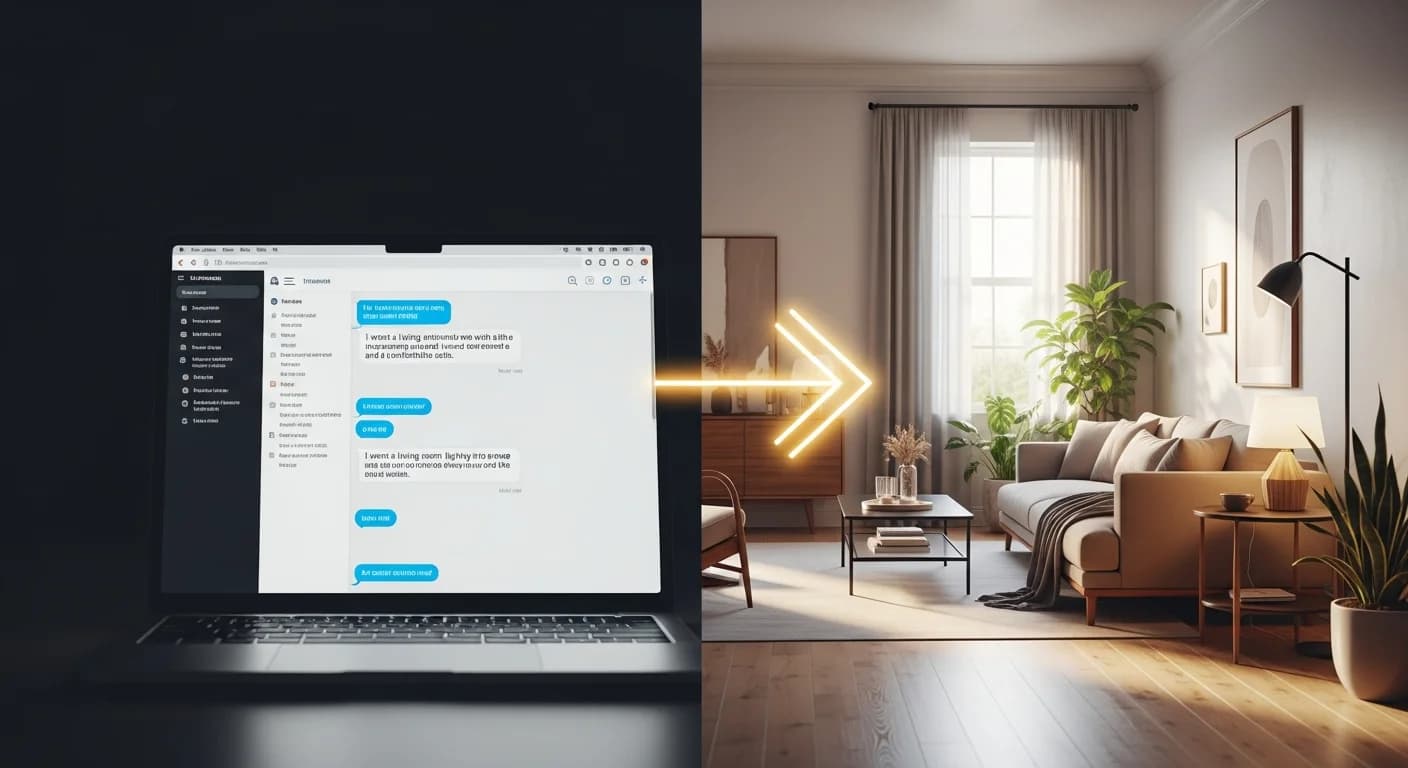
Take this summary and use it as your configuration guide when uploading your room photo to HanoDecor's room designer. Select the style ChatGPT recommended, apply the color preferences, and generate a photorealistic visualization of the design plan you built together. This workflow gives you the best of both worlds: ChatGPT's personalized planning plus AI visualization's photorealistic output.
The ChatGPT Plus AI Visualization Workflow
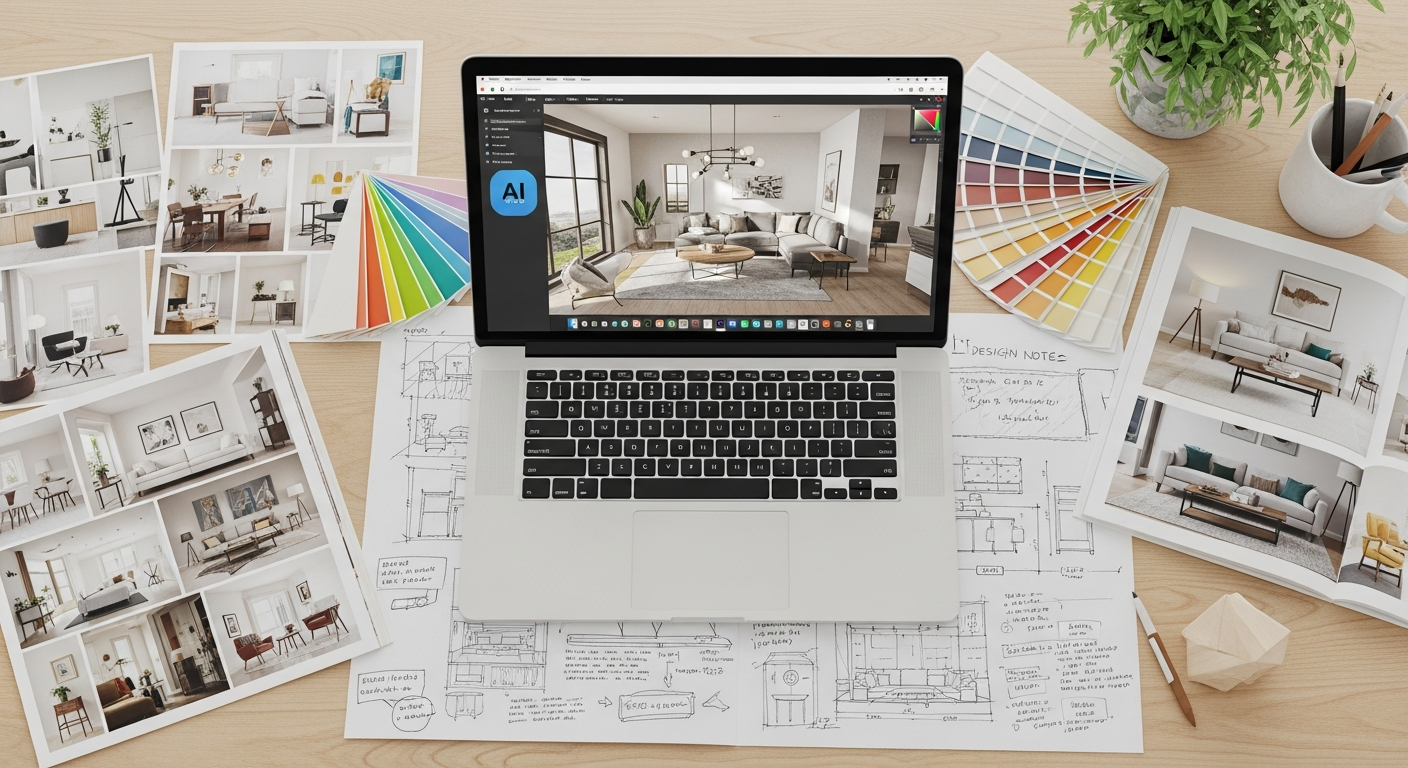
The most effective approach to AI-powered room redesign combines ChatGPT's planning capabilities with a dedicated visualization tool. Here is the step-by-step workflow that interior designers and savvy homeowners are using in 2026 to get professional-quality results without hiring a designer.
Step one: Use ChatGPT prompts 1-3 to define your style, color palette, and overall design direction. Spend 15-20 minutes in conversation, refining your preferences until ChatGPT produces a design brief you are excited about. Step two: Photograph your room from a corner angle with good natural light, showing two full walls from floor to ceiling.
Step three: Upload your photo to HanoDecor's room designer and select the style that matches ChatGPT's recommendation. Step four: Generate 3-5 variations with different color emphasis and furniture arrangements. Step five: Share your favorite visualization with ChatGPT and ask for refinement suggestions. Step six: Use prompt 9 (the design mistake checker) to validate your final choice before purchasing anything.
This workflow typically takes 30-45 minutes total and produces results that rival a professional design consultation costing $200-$500. The key advantage is that you can iterate as many times as you want without any additional cost, trying different styles and configurations until you find the perfect match for your space and preferences.
ChatGPT vs Dedicated AI Room Design Tools
Understanding the differences between ChatGPT and dedicated AI room design tools helps you use each one effectively. ChatGPT is a general-purpose language model that happens to be knowledgeable about interior design. Dedicated tools like HanoDecor are purpose-built for room visualization, with AI models trained specifically on interior design images and room transformations.
| Feature | ChatGPT | AI Room Design Tool (HanoDecor) |
|---|---|---|
| Text-based design advice | Excellent | Limited |
| Photo analysis | Basic (GPT-4 Vision) | Advanced (room segmentation) |
| Photorealistic visualization | Not available | Core feature |
| Style-specific room generation | Not available | 36+ styles |
| Before and after comparison | Text descriptions only | Visual side-by-side |
| Color palette suggestions | Excellent (with paint codes) | Visual preview on walls |
| Furniture recommendations | Excellent (with brands and prices) | Visual placement |
| Budget planning | Excellent | Not available |
| Contractor communication | Design briefs | Visual reference images |
| Cost | Free (basic) / $20/mo (Plus) | Free tier / $12/mo+ |
The comparison makes it clear that these tools are complementary, not competitive. ChatGPT handles the thinking and planning phase while AI visualization tools handle the seeing and confirming phase. Using both together produces far better results than either one alone. For a deeper look at AI room redesign capabilities, read our complete guide to AI room redesign.
Advanced ChatGPT Techniques for Interior Design
Beyond the 10 core prompts, there are several advanced techniques that power users employ to get even better results from ChatGPT. The first technique is conversation threading. Rather than starting a new conversation for each question, keep your design discussion in a single thread. ChatGPT remembers context within a conversation, so it can build on previous suggestions and maintain consistency across your entire design plan.
The second technique is role assignment. Start your conversation with: "Act as a certified interior designer with 15 years of experience specializing in [your preferred style] design. I'm your client and I need help redesigning my [room type]." This framing helps ChatGPT provide more professional-grade advice with appropriate design terminology and industry-standard recommendations.
The third technique is iterative refinement. After each suggestion, provide specific feedback: "I like the color palette but want warmer tones. I love the sofa recommendation but need something pet-friendly. Keep the lighting plan but replace the pendant light with a flush mount because my ceiling is only 8 feet." Each round of feedback produces increasingly personalized results that feel tailored to your exact situation.
The fourth technique is multi-room coordination. If you are redesigning multiple rooms, ask ChatGPT to create a cohesive design language that flows from room to room: "I'm redesigning my living room, dining room, and kitchen as connected spaces. Create a unified design plan that uses a consistent color palette with complementary variations in each room. The spaces should feel related but not identical."
Common Mistakes When Using ChatGPT for Room Redesign
The biggest mistake homeowners make is treating ChatGPT suggestions as final designs. ChatGPT provides excellent starting points and ideas, but every suggestion should be validated visually before you spend money. A color that sounds beautiful in text might look completely different on your walls under your specific lighting conditions. Always preview with a visual tool or paint samples before committing.
Another common mistake is providing too little context. Vague prompts like "help me redesign my bedroom" will produce generic results. The quality of ChatGPT's output is directly proportional to the detail in your input. Include room dimensions, existing elements you want to keep, your budget, your lifestyle needs, and your aesthetic preferences in every prompt.
A third mistake is ignoring structural and safety considerations. ChatGPT may suggest removing a wall to create an open concept layout without knowing whether that wall is load-bearing. It may recommend electrical fixtures without understanding your existing wiring capacity. Always consult a licensed professional for any changes involving structural elements, plumbing, electrical, or gas lines. ChatGPT's advice is for cosmetic and aesthetic planning only.
Finally, do not forget to ask ChatGPT about maintenance and longevity. A beautiful white marble countertop sounds perfect until you learn it stains easily and requires regular sealing. Always follow up design suggestions with practical questions about care requirements, durability, and long-term costs.
Real Examples: ChatGPT Room Redesign Conversations
To illustrate how these prompts work in practice, here are condensed examples from real ChatGPT redesign conversations. In a living room redesign, a homeowner described a 14x18-foot room with beige walls, brown leather furniture, and limited natural light. ChatGPT recommended transitioning to a transitional style with warm white walls (Benjamin Moore Simply White OC-117), a navy accent wall, and brass lighting fixtures. The total budget recommendation was $3,200 spread across paint, two new accent chairs, updated lighting, and coordinated textiles.
In a bedroom redesign conversation, a renter with a $500 budget described a small bedroom with dated beige carpet and fluorescent overhead lighting. ChatGPT suggested a Scandinavian-inspired refresh using a large area rug to cover the carpet, warm-toned LED bulbs, sheer white curtains, and a carefully curated gallery wall. The total came to $475, including specific product links from budget-friendly retailers.
Both homeowners then used HanoDecor's room designer to visualize the recommendations. The living room homeowner was so pleased with the AI visualization that she used it as a reference image when hiring a painter. The bedroom renter implemented the changes over a single weekend and reported that the room felt "twice as large and ten times more intentional."

Frequently Asked Questions
Can ChatGPT actually redesign a room? ChatGPT can plan and advise on a room redesign with remarkable detail, including style recommendations, color palettes with specific paint codes, furniture suggestions with brand names and prices, and layout optimization. However, it cannot generate photorealistic images of your specific room. For visual results, pair ChatGPT with an AI visualization tool like HanoDecor's room designer.
Is ChatGPT better than hiring an interior designer? ChatGPT is not a replacement for a professional interior designer, especially for complex projects involving structural changes, custom millwork, or high-budget renovations. However, for cosmetic redesigns under $10,000, ChatGPT combined with AI visualization tools can produce results that rival a basic design consultation at a fraction of the cost. Many professional designers now use AI tools themselves to speed up the ideation phase.
Do I need ChatGPT Plus for room redesign? The free version of ChatGPT works well for text-based design advice. ChatGPT Plus ($20/month) offers GPT-4, which provides more nuanced and detailed responses, plus the ability to upload room photos for basic analysis. If you are serious about room redesign, the Plus subscription is worth it for the improved response quality, but the free version is a solid starting point.
What is the best ChatGPT prompt for room redesign? The most effective single prompt is the Complete Room Analysis (Prompt 1 in this guide), which provides ChatGPT with your room dimensions, existing conditions, style preference, and budget in one message. This gives ChatGPT enough context to generate specific, actionable recommendations rather than generic advice. Follow up with Prompt 10 to bridge your text plan into a visual AI tool.
Can ChatGPT help me redesign on a tight budget? Absolutely. ChatGPT is one of the best tools for budget-conscious redesign because it can suggest specific products at multiple price points, identify which items are worth investing in versus saving on, and create phased renovation plans that spread costs over time. Use Prompt 5 (Budget Allocation Advisor) to get a complete spending plan tailored to your exact budget.
How accurate are ChatGPT's furniture size recommendations? ChatGPT's furniture recommendations are generally accurate for standard room sizes, but it works from general guidelines rather than your specific room measurements. Always verify that recommended furniture dimensions will actually fit in your space before purchasing. Measure doorways and staircases for delivery access as well. ChatGPT can help with this if you provide exact measurements.
Try AI Room Redesign with HanoDecor
Now that you have 10 expert prompts to plan your room redesign with ChatGPT, take the next step and see your ideas come to life visually. HanoDecor's AI room designer lets you upload a photo of your room and instantly generate photorealistic visualizations in any style. No design skills required, no software to install, and you can start with our free tier.
Use ChatGPT to build your design plan, then use HanoDecor to see it. The combination of text-based planning and visual AI execution is the most powerful approach to DIY room redesign available in 2026. Browse our design gallery for inspiration, or jump straight into the room designer and start transforming your space today.
Related Articles
How to Use AI to Redesign a Room: 8 Proven Steps for Stunning Results — Our comprehensive guide to AI-powered room redesign covers the full process from photo to finished visualization.
How to Redesign a Room with AI: 20 Stunning Before and After Examples — See real transformations across living rooms, kitchens, bedrooms, and bathrooms with detailed style breakdowns.
How to Use ChatGPT to Redesign a Room FAQs
Written by
James Park
Architectural Design Advisor specializing in exterior remodeling, siding systems, and structural home improvements. Licensed architect with 18 years of residential project experience.