How to Style a TV Stand: 8 Smart Tips for a Clean, Curated Media Center
Quick Summary
A practical guide to styling TV stands, media consoles, and entertainment centers so they look curated rather than cluttered. Covers cable management, decorative object selection, open shelf styling, closed storage strategies, and balancing electronics with design elements across 8 actionable tips.
Why TV Stand Styling Is One of the Hardest Decorating Challenges
Learning how to decor a TV stand is uniquely challenging because it requires balancing two opposing goals: accommodating electronics and cables while creating a visually appealing display. Unlike a coffee table or console table, a TV stand must house a streaming box, gaming console, soundbar, remotes, and a tangle of HDMI cables — all while looking intentional and curated from across the room.
The TV itself dominates the visual space. A typical 55-inch television occupies roughly 48 by 28 inches of wall or surface area, creating a large dark rectangle that draws the eye whether it is on or off. The decorating challenge is to make the area surrounding the TV feel styled and cohesive so the screen integrates into the room's design rather than standing as an isolated tech object on a neglected surface.
Media consoles range from compact 42-inch stands for apartments to full 72-inch credenzas with multiple compartments. Whether you have open shelving, glass-door cabinets, or closed storage, the styling principles remain the same: manage cables invisibly, curate decorative objects intentionally, and create visual balance between the functional electronics and the aesthetic elements.
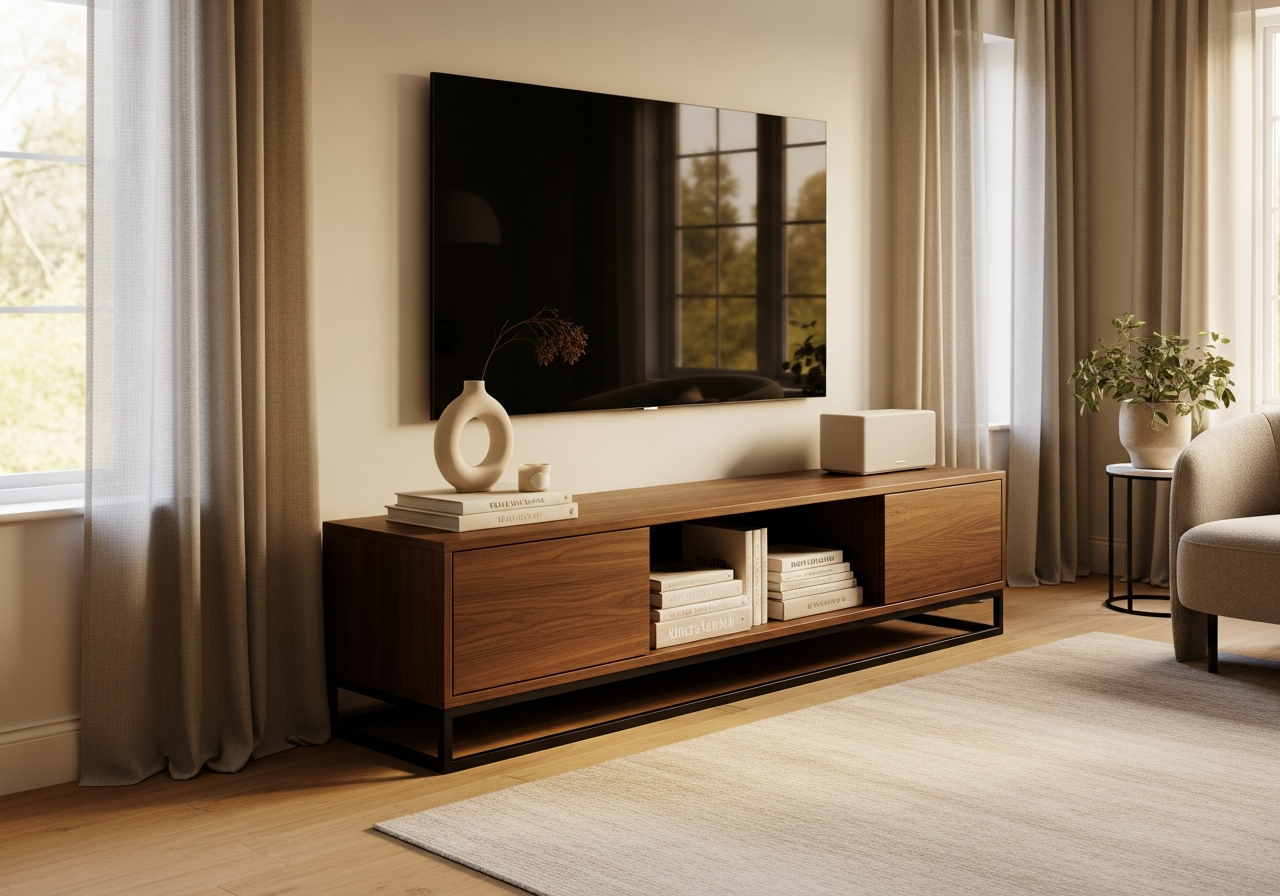
Tip 1 — Solve Cable Management First
No amount of decorative objects will compensate for visible cable chaos. Before styling a single surface, address your cords. The most effective approach uses cable management channels (also called raceways) — adhesive-backed plastic channels that mount to the wall or the back of the console and contain all cables in a clean line. Paint the raceway to match your wall color for near-invisibility.
Behind the console itself, use velcro cable ties to bundle cords together and a power strip mounted to the back of the furniture (not sitting on the floor) to consolidate plugs. For wall-mounted TVs, an in-wall cable management kit creates a completely hidden path from the TV to the outlet — a $15 to $30 investment that eliminates the most common eyesore in living room media setups.
If your TV stand has open back panels, a simple fabric panel or decorative back board attached with velcro conceals the cable area from view at most angles. This single step — hiding what is messy — is the foundation that makes all subsequent styling effective.
Tip 2 — Style Open Shelves with the 1/3 Rule
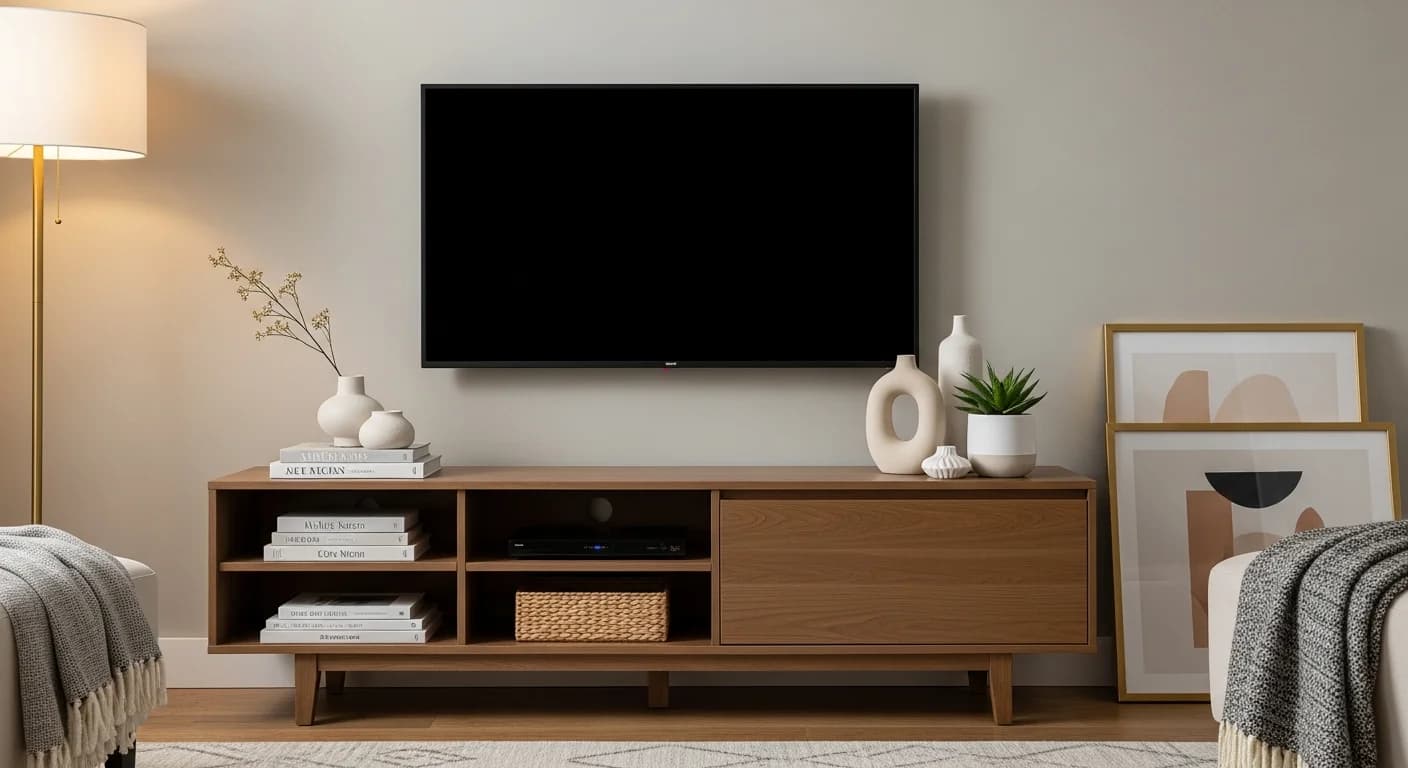
Most TV stands have open or glass-front compartments that display whatever you place inside. The 1/3 rule keeps these shelves curated rather than stuffed: fill no more than one-third of each shelf's visible surface area with decorative objects. The remaining two-thirds should be open space or occupied by electronics positioned neatly. This mirrors the negative-space principles from our bookshelf styling guide, adapted for the unique constraints of media furniture.
For a shelf that holds a gaming console, place the console to one side and add a small decorative object — a ceramic sculpture, a framed photo, or a stacked pair of books — to the other side. The negative space between them creates visual breathing room. For purely decorative shelves (no electronics), group items in odd numbers: a stack of three books topped with a small brass object, or a single statement ceramic vessel placed off-center.
Vary heights within each shelf: a tall item on one side, a low item on the other, and nothing in the middle. This asymmetrical arrangement looks intentional rather than haphazard. Avoid identical items on every shelf — vary your object shapes, materials, and colors to create visual interest across the entire console.
Tip 3 — Choose Decorative Objects That Complement the Screen
The TV screen is the largest single element on your media stand, and the objects around it should create visual balance without competing for attention. Choose objects with organic, natural shapes — rounded ceramics, sculptural wood pieces, woven baskets, or a small potted plant — to contrast the hard rectangular geometry of the screen. Matte finishes work better than glossy surfaces near a TV because they do not create competing reflections.
Scale matters enormously. Objects too small disappear next to a 55-inch screen. As a guideline, the tallest decorative item on the console surface should be at least 8 to 12 inches tall — a substantial ceramic vase, a table lamp, or a tall stack of coffee table books. Pair this height anchor with a medium item (5 to 7 inches, such as a candle or small plant) and a low item (2 to 4 inches, such as a decorative bowl or coaster stack) for a graduated visual flow.
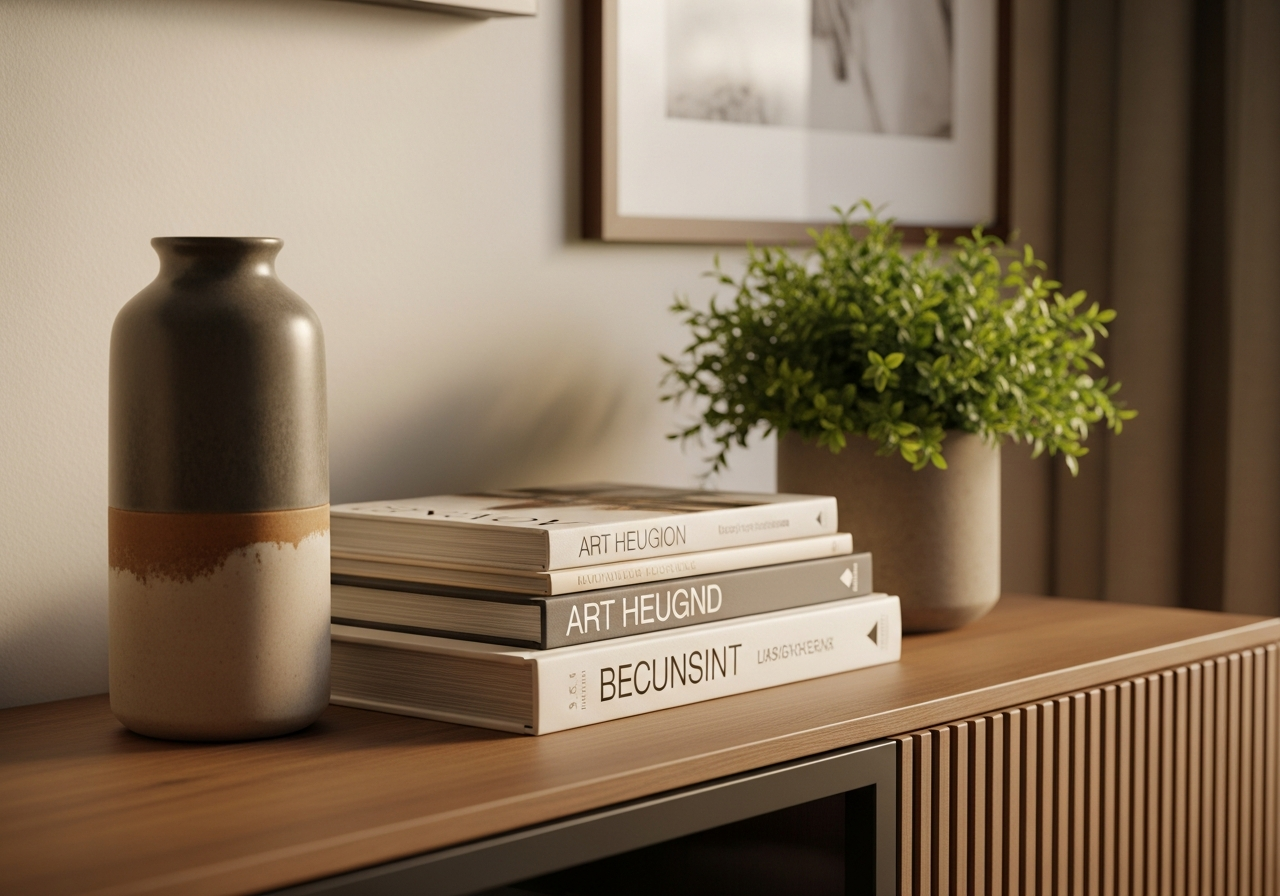
Tip 4 — Use Baskets and Boxes for Closed Storage
Remotes, game controllers, batteries, and charging cables are essential near the TV but visually disruptive when left in the open. Decorative storage containers solve this tension elegantly. A woven seagrass basket, a lidded wooden box, or a leather-wrapped tray on the console surface collects these functional items in one visually cohesive container.
For lower open shelves, matching fabric bins or woven baskets in a neutral tone conceal gaming accessories, DVD collections, and tech gear while maintaining a clean shelf line. Choose containers that complement your console's material — rattan baskets for a natural wood console, matte black bins for a modern lacquered stand, linen-wrapped boxes for a mid-century walnut credenza.
Tip 5 — Add a Table Lamp or Bias Lighting
A table lamp on one end of the TV stand serves double duty: it provides ambient lighting that reduces eye strain during screen viewing and acts as a tall vertical element that balances the TV's horizontal presence. Choose a lamp with a shade that reaches roughly one-quarter to one-third of the TV's height for proper proportion.
Bias lighting — LED strip lights mounted to the back of the TV — creates a soft halo of light behind the screen that reduces perceived glare and adds a dramatic, floating quality to the display. Most bias lighting kits are USB-powered (connecting directly to the TV's USB port) and cost under $15. Warm-white bias lighting in the 2,700K to 3,000K range creates a cozy viewing atmosphere that also serves as an attractive nightlight when the TV is off.
Tip 6 — Flank the TV with Symmetrical or Balanced Elements
The area directly beside the TV — whether on the console surface or mounted on the wall — benefits from intentional flanking elements that frame the screen. Symmetrical flanking (matching items on both sides) creates a formal, balanced look: two matching table lamps, two identical plants, or two framed prints at the same height. Asymmetrical flanking (different but visually weighted items on each side) feels more casual and contemporary.
For wall-mounted TVs, floating shelves on either side create architectural framing while providing display space for small plants, books, and decorative objects. Alternatively, a gallery wall arrangement surrounding the TV integrates the screen into a larger art display — our guide to decorating around a TV covers this technique in detail. The key is ensuring the TV does not sit as an isolated rectangle on an otherwise empty wall.
Tip 7 — Edit Ruthlessly: Less Is More on a Media Console
The single biggest styling mistake on TV stands is overcrowding. Because media consoles have multiple surfaces — top, open shelves, and sometimes side cabinets — there is a temptation to fill every inch. Resist this urge. A well-styled TV stand should have at least 40 to 50 percent negative space visible from the primary viewing angle.
Edit your display to five to seven total decorative objects across the entire console (not counting electronics). This might include one tall item, one medium plant, one decorative storage basket, a stack of two to three books, and one small sculptural object. When in doubt, remove one more item — the breathing room created by empty space reads as intentional design rather than emptiness.
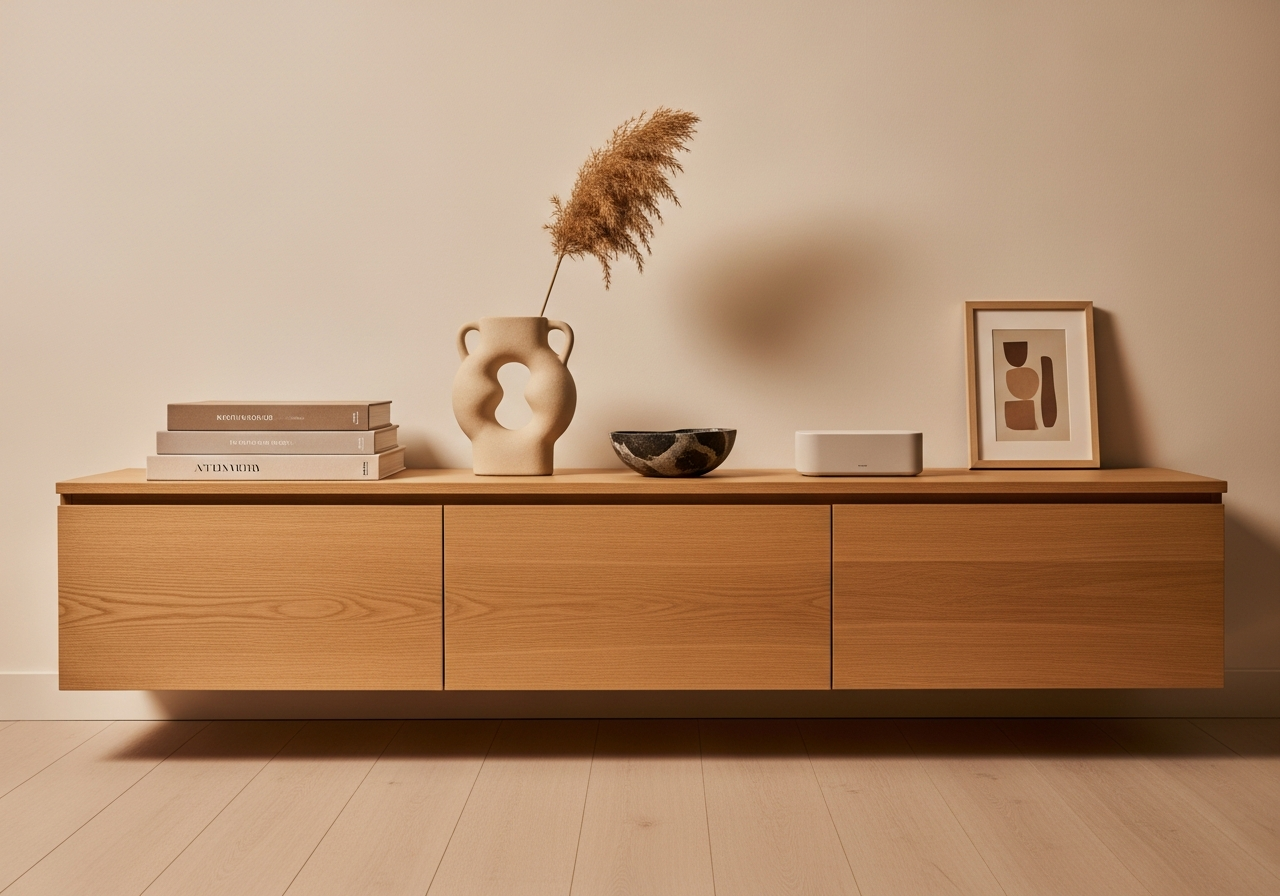
Tip 8 — Match the Console Style to Your Room's Design Language
Your TV stand should feel like it belongs in the room's overall design story, not like a tech accessory dropped into a decorated space. A mid-century walnut credenza suits a room with warm wood tones and organic shapes. A sleek white lacquered console works in a modern minimalist setting. A reclaimed wood media cabinet complements farmhouse and rustic interiors.
If replacing the console is not in your budget, style around it to bridge any style gap. A modern TV stand in an otherwise traditional room can be warmed up with a vintage brass lamp, leather-bound books, and a woven basket. A dated oak console in a contemporary room can be modernized with matte black decorative objects, a clean-lined ceramic vase, and minimalist framed prints. The decorative objects you choose can shift the console's perceived style by two or three degrees — enough to create cohesion without furniture replacement. For more tips on coordinating furniture with your room's aesthetic, see our furniture matching guide.
Frequently Asked Questions
How do I hide cables on a TV stand?
Use adhesive cable management raceways along the wall or back of the console to contain all cords in a clean channel. Bundle loose cables behind the stand with velcro ties and mount your power strip to the back of the furniture. For wall-mounted TVs, an in-wall cable kit creates a completely hidden path from screen to outlet for under $30.
What should I put on an empty TV stand besides the TV?
Choose five to seven decorative objects total: one tall item (lamp, vase, or tall plant), one to two medium items (stacked books, candle, small plant), and one to two functional-decorative items (remote tray, decorative storage box). Keep at least 40 percent of the surface empty for a curated, uncluttered look.
How do I style open shelves on a media console?
Follow the 1/3 rule: fill no more than one-third of each shelf's visible area. Group items in odd numbers, vary heights within each shelf, and use matching bins or baskets for functional items like controllers and cables. Leave visual breathing room between objects — negative space is part of the design.
Should I mount the TV on the wall or keep it on the stand?
Wall mounting frees up the entire console surface for decorative styling and creates a floating, modern look. Stand mounting keeps the setup simpler (no wall holes) and works better for renters. Both approaches can look equally polished — the key is managing cables effectively and styling the surrounding area intentionally regardless of placement.
What size TV stand do I need for a 65-inch TV?
Your TV stand should be at least 4 to 6 inches wider than the TV on each side — so a 65-inch TV (approximately 57 inches wide) needs a stand that is at least 65 to 70 inches wide. This extra width provides space for flanking decorative objects and prevents the TV from visually overhanging the console edges, which creates an unbalanced, top-heavy appearance.
Preview Your Styled Media Center with HanoDecor
Not sure how your TV stand will look with a new styling arrangement? Upload a photo of your living room to HanoDecor's AI Room Designer and preview different console styles, decorative arrangements, and color palettes. Experiment with wall-mounted versus stand-mounted setups, flanking shelf arrangements, and lighting placement — all before moving a single object. See how your media center integrates with the rest of your room design, or explore living room inspiration for more entertainment area styling ideas.
Related Articles
Continue styling the surfaces around your entertainment area: How to Style a Coffee Table covers the complementary surface that sits directly in front of your TV stand. How to Style a Console Table shares many of the same proportion and height-variation principles for narrow surfaces. How to Style Wall Shelves provides techniques for the flanking shelves that often surround wall-mounted TVs. For coordinating metal finishes across hardware, lamps, and frames, see How to Mix Metals in Home Decor, and for the full room context read our complete living room decorating guide.
How to Style a TV Stand FAQs
Written by
Lisa Wang
Sustainable Design Writer focused on eco-friendly materials, energy efficiency, and budget-conscious home improvement. LEED Green Associate with expertise in low-impact renovation strategies.